


Artificial intelligence tools like ChatGPT, Claude, and Gemini are now producing articles, social posts, images, and even videos that can look convincingly human. For readers—and especially publishers like local news outlets—knowing how to spot the difference is becoming essential.
Here’s a practical, real-world guide to help you identify AI-generated content and protect your credibility.
1. Look for “Too Perfect” Writing
AI-generated content often sounds polished—but sometimes too polished.
Signs to watch for:
- Flawless grammar with no natural variation
- Overuse of generic phrases like “In today’s fast-paced world…”
- Lack of personality or unique voice
- Repetitive sentence structure
Real content tends to have:
- Slight imperfections
- Natural tone shifts
- Local voice or personality (especially in community news)
👉 If it reads like a textbook instead of a human, it might be AI.
2. Check for Depth and Original Insight
AI is great at summarizing—but not always at thinking originally.
AI content often:
- Repeats widely known facts
- Avoids strong opinions
- Lacks firsthand experience
Human content usually includes:
- Personal anecdotes
- Interviews or quotes
- Unique local knowledge (key for outlets like My County Link)
👉 Ask yourself: Does this feel lived-in or just compiled?
3. Verify the Facts (AI Can Hallucinate)
One of the biggest giveaways is incorrect or fabricated information.
Red flags:
- Fake statistics or sources
- Vague references (“studies show…”)
- Outdated or mixed-up details
Even advanced tools like ChatGPT can occasionally generate inaccurate information if not carefully prompted.
👉 Always cross-check:
- Names
- Dates
- Locations
- Quotes
This is especially critical for local news SEO content, where accuracy builds trust.
4. Watch for Repetition and Redundancy
AI tends to circle back to the same ideas.
Common patterns:
- Repeating the same point in different wording
- Overuse of keywords (SEO-heavy but unnatural)
- Paragraphs that feel slightly reworded versions of each other
👉 Human writers naturally vary flow—AI sometimes doesn’t.
5. Analyze Emotional Authenticity
AI can mimic emotion—but it doesn’t feel it.
AI writing may:
- Sound emotionally flat
- Use exaggerated or generic emotional language
- Miss subtle tone shifts
Human writing:
- Feels more nuanced
- Reflects real reactions
- Matches the situation authentically
👉 If the emotion feels “scripted,” it might be.
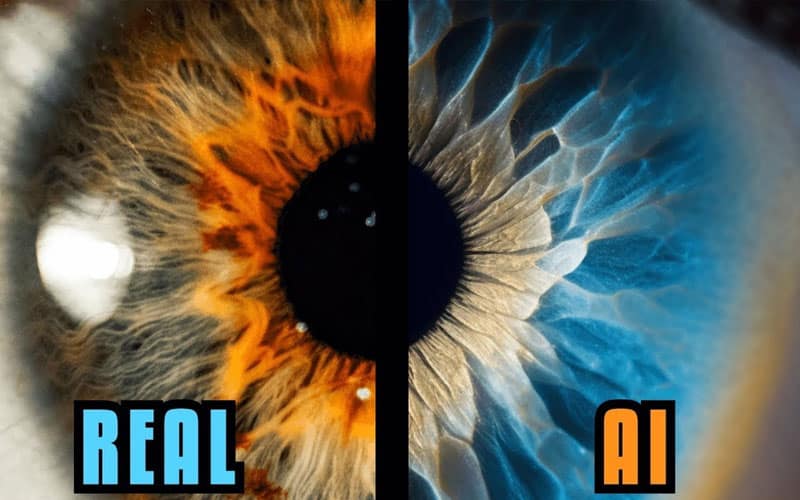
6. Inspect Images and Visual Content
AI-generated images are improving rapidly, but still leave clues.
Things to check:
- Hands and fingers (still a common flaw)
- Text in images (often distorted)
- Overly smooth or “plastic” textures
- Lighting that feels unrealistic
AI image tools like DALL·E and Midjourney are powerful—but not perfect.
👉 Zoom in—details often reveal the truth.
7. Use AI Detection Tools (But Don’t Rely on Them Alone)
There are tools designed to estimate whether content is AI-generated, such as:
- GPTZero
- Originality.ai
However:
- They are not 100% accurate
- False positives happen
- Skilled writers (and edited AI content) can bypass detection
👉 Use these as a guide—not proof.
8. Check the Source and Author
Credibility still matters.
Ask:
- Is there a real author with a track record?
- Does the site have local credibility?
- Are there bylines, contact info, or accountability?
For example, a trusted local outlet like My County Link builds authority through:
- Community presence
- Real reporting
- Consistent coverage
👉 AI content often lacks a clear, accountable human behind it.
Why This Matters for Local Media
For digital publishers—especially local outlets—trust is everything.
AI can help:
- Speed up content creation
- Assist with SEO
- Generate ideas
But over-reliance can:
- Damage credibility
- Spread misinformation
- Lose reader trust
The winning strategy isn’t AI vs. human—it’s AI + human oversight.