


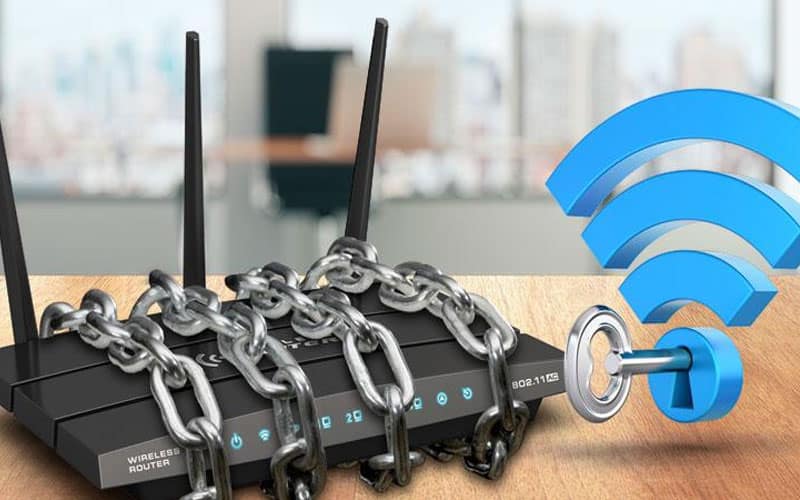
In today’s interconnected world, our home networks are the heart of our digital lives. From streaming our favorite shows and working remotely to managing smart devices and staying connected with loved ones, virtually everything runs through our Wi-Fi. But just as we secure our physical homes, it’s crucial to fortify our digital ones against the ever-present threat of malicious websites.
Think of it this way: every click, every download, every new website you visit is a potential doorway. Unfortunately, not all doorways lead to good places. Malicious websites are designed to trick you, steal your data, infect your devices with malware, or even hijack your entire network.
The good news? You don’t need to be a cybersecurity expert to build a robust defense. With a few proactive steps, you can significantly enhance your home network’s security.
Your Router: The First Line of Defense
Your Wi-Fi router isn’t just a box that gives you internet; it’s the gateway to your entire home network. Securing it is paramount.
Change Default Credentials, Immediately! This is non-negotiable. Most routers come with generic usernames and passwords (like admin/password). Cybercriminals know these defaults. Log into your router’s administration page (check your router’s manual or a quick online search for “how to access [your router brand] admin page”) and change both the username and password to something strong, unique, and complex.
Keep Firmware Updated: Router manufacturers regularly release firmware updates to patch security vulnerabilities. Enable automatic updates if available, or periodically check your router’s admin page for new versions. It’s like updating the locks on your digital front door.
Strong Wi-Fi Passwords (WPA3 Preferred): Your Wi-Fi password should be long, complex, and ideally use WPA3 encryption if your router supports it. Avoid obvious choices like birthdays or pet names. A strong password makes it much harder for unauthorized users to access your network.
Your Devices: The Inner Sanctum – Even with a well-secured router, your individual devices need protection.
Embrace Software Updates: This cannot be stressed enough! Every operating system (Windows, macOS, iOS, Android) and every application (browsers, apps, games) receives regular updates. These aren’t just about new features; they often contain critical security fixes that patch vulnerabilities hackers could exploit. Enable automatic updates whenever possible.
Invest in Antivirus/Anti-Malware Software: A reputable antivirus and anti-malware solution acts as your digital security guard. It scans files, detects suspicious activity, and blocks known threats. Keep your subscription active and run regular scans.
Activate Your Firewall: Both your operating system (Windows Defender Firewall, macOS Firewall) and your router likely have built-in firewalls. Ensure they are active. A firewall controls what traffic can enter and leave your devices, blocking unauthorized connections.
Your Online Habits: The Human Element – Often, the weakest link in security is us. Being aware and cautious online is your most powerful tool.
Be a Skeptic: Scrutinize Links and Downloads: This is where malicious websites thrive.
Phishing: Be highly suspicious of unsolicited emails, messages, or pop-ups, especially those demanding urgent action or offering something “too good to be true.” Always verify the sender and hover over links (without clicking!) to see the true destination URL. If it looks off, it probably is.
Downloads: Never download files from untrusted websites or sources. Stick to official app stores and reputable software vendors.
Mind Public Wi-Fi: Public Wi-Fi networks (at cafes, airports, etc.) are inherently less secure. Your data can be vulnerable to snoopers. Use a Virtual Private Network (VPN) when connecting to public Wi-Fi. A VPN encrypts your connection, making it private and secure.
Enable Two-Factor Authentication (2FA): For your most critical online accounts (banking, email, social media, shopping sites), enable 2FA. This adds an extra layer of security, typically requiring a code sent to your phone or generated by an authenticator app, even if someone manages to steal your password.
Regular Data Backups: While not strictly about preventing malicious websites, regular backups are your ultimate safety net. If, despite all your efforts, a malicious website or malware does compromise your system, having your important files backed up to an external drive or a secure cloud service ensures you can recover without losing precious data.
Building a secure home network isn’t a one-time task; it’s an ongoing process. By regularly updating your defenses and maintaining a cautious online mindset, you can transform your home network into a formidable digital fortress, protecting your data and peace of mind from the lurking threats of the internet. Stay vigilant, stay safe!